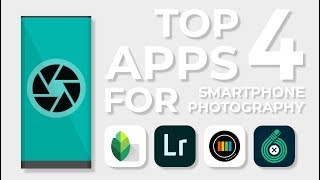
Top 4 Smartphone Photography Apps
Channel: Apalapse
Category: Science & Technology
Tags: appimagesmartphoneadvicephotorecommendationmobile photographyandriodiosiphonesmartphone photography appseditingfilterappleapp storephonebest appstop appsmobile phonehelpfulcameratop 5photographyguide
Description: Sign up for a free 30-day trial to Sonata with my tracking link: sonata.media/?utm_source=affiliate&utm_medium=youtube&utm_campaign=vincentl. This video was sponsored in part by Sonata. Sonata is a music licensing service designed for creators. Full of professional artists, Sonata contains an endless library of high-quality tracks that is leaps and bounds better than other stock music platforms. Powered by AI and designed with direct input from creators, Sonata's search engine has advanced features making finding the perfect track easy. Thank you! Corrections: You do not need an Adobe subscription to operate the Lightroom app, but having one will unlock the image sync through Adobe and a few niche functions like the healing brush. The symbol at 0:20 should be a "greater than" symbol, NOT a "less than" symbol. The point I was trying to illustrate was that smartphones are advantageous over DSLRs in certain regards, such as size. Smartphone photography is becoming increasingly relevant in this day and age, so I thought I would make a video about it. To start off this series, I unveilved what are in my opinion, the four best smartphone photography apps currently on the market. Also, I plan on creating a second channel for landscape photography, and I will reveal more details in my next video. If you have any other apps you would like to recommend, make sure to comment them below, and of course rate the video and feel free to share this with other smartphone photographers you know! Thanks for watching, everyone, and thank you for the continued support of my channel. I will continue to work hard to bring you the highest quality tutorial content on YouTube. ________________________________________________________________________________________________ Animation: Vincent Ledvina Vector Design: Vincent Ledvina & freepik.com illustrations Voiceover: Vincent Ledvina Sound Effects: Created by myself and sourced online Music: If I Could Fly - (unknown) Images/Video: Taken by myself of my college campus... ________________________________________________________________________________________________ Subscribing is always appreciated, and make sure you stay notified with the bell icon. As always, thank you for the continued support of the channel. I have set up a patreon and PayPal if you care to contribute monetarily. Patreon: patreon.com/apalapse PayPal: apalapse@gmail.com