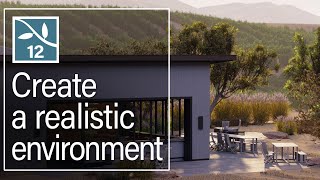
Step 3: Craft a 3D environment with Lumion landscape tools
Channel: Lumion
Category: Film & Animation
Tags: rendersarchitectural renderingsoftwarerhino 3dopenstreetmapsarchitectprogramsketchupresidential architecture3dresidential designdesignarchiloversrenderheightmapsarchitecturevectorworks3d modelingelevationarchicad3ds maxarchitecture loverslumionrender loversarchitecture visuzalizationlumion 10landscape design3d renderinginterior designarchitectsexterior designrevitlandscape architecturearchitecturallandscape
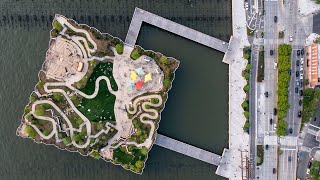
Description: The Lumion landscape tools help show your design in its real-life context. In this tutorial, you will learn about the Landscape tab, which holds Lumion's tools for shaping and coloring landscapes and importing surrounding topography from OpenStreetMaps. 0:00 - Lumion Context 0:25 - Landscape Grass 0:36 - Height Tools 1:04 - Paint Terriain 1:10 - Environment Presets 1:18 - Ocean 1:27 - OpenStreetMap Learn more about the new features in Lumion 12: bit.ly/3nWVofg Get Lumion 12: bit.ly/3GMNLAk Try Lumion 12 for free: bit.ly/31ozzNX __ Get involved with the Lumion community at community.lumion.com/index.php Facebook - facebook.com/Lumionsoftware Twitter - twitter.com/lumion3d Instagram - instagram.com/lumionofficial LinkedIn - linkedin.com/company/act-3d-b.v. Pinterest - pinterest.com/lumionofficial __