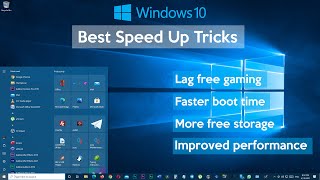
Speed Up Windows 10
Channel: Sele Training
Category: Science & Technology
Tags: how to increase speed of windows 10how to speed up windows 10 pcgame modedisk cleanupadvanced system settingsultimate performancetransparency effectssele trainingindexer performancewindows 10make windows 10 fasterbloatwarewindows 10 optimizationincrease internet speeddelivery optimizationspeed up windows 10graphics performancehow to make windows 10 faster64 bitremove cortanahow to speed up windowswindows running slowwindows reset
Description: Is your Windows 10 computer running slow? Follow these steps to speed up Windows 10 and maximize your PC performance. Support me with your Amazon purchases, click here: amzn.to/2KfS7qV Contents 0:00 1. Ultimate Performance 0:14 2. Advanced System Settings 0:53 3. Graphics Performance 1:51 4. System Configuration 3:07 5. Privacy Settings 4:21 6. Turn off Game Mode 4:48 7. Indexer Performance 5:25 8. 64 Bit Apps 6:03 9. Startup Apps 7:31 10. Transparency Effects 8:06 11. Remove Bloatware 8:29 12. Disk Cleanup 9:18 13. Remove Desktop Shortcuts 10:06 14. Delivery Optimization 10:31 15. Remove Cortana 12:56 16. SSD Boot Drive 13:46 17. Windows Reset 14:56 #seletraining #windows10 #tipsandtricks