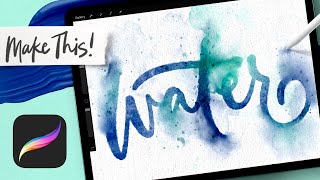
Paint Messy Watercolor Lettering in Procreate
Channel: Every Tuesday
Category: Howto & Style
Tags: procreate lettering beginnersteela cunninghamprocreate watercolor tutorialwatercolor lettering ipaddigital watercolor procreateprocreate watercolour tutorialprocreate watercolourprocreate watercolor coursedigital watercolor paintingdigital letteringprocreate lettering tutorialdigital watercolour paintingdigital watercolorevery tuesdaywatercolor lettering procreatedigital watercolourprocreate watercoloripad letteringwatercolor lettering
Description: The messy watercolor style is so versatile: add as much or as little mess as you’d like, but make sure nothing is perfect! Let the perfectionist pressure go and simply have fun making a mess 😉 While my new course (every-tuesday.com/messy-watercolors) focuses heavily on illustration, I thought it would be fun to share how I apply this style to lettering this week. This will give you a peek into the messy process and you can even use the free sampler brushes I gave away last week for it! Free sampler brushes available here (when you become a free Every Tuesday email subscriber) 👉 every-tuesday.com/resource-library Looking for more Procreate tutorials + freebies?! 👉 Head to my site: every-tuesday.com 👉 Free Procreate brushes + swatches: tuesdaymakers.com ✨ New to Procreate? Take my free course, Procreate 5X for Beginners here: learn.every-tuesday.com/procreate-for-beginners 🎨More Procreate projects like this one: youtube.com/playlist?list=PLOaLExfvXZWLjxrfEIDoZQoVMlO_9ZOFV 🎓Love watercolor in Procreate? Check out my new course: learn.every-tuesday.com/messy-watercolors-in-procreate --------------------------------------------------------------- CREATE THIS PROJECT WITH: ✅ Messy Watercolor Brushes: every-tuesday.com/messy-brushes --------------------------------------------------------------- TECH STUFF + ACCESSORIES I USE ✨ This artwork was created on a 5th gen iPad Pro (12.9”, 256GB) with a 2nd gen Apple Pencil using the Procreate app (v.5.2.5) ✨ I use the Paperlike screen protector on my iPad Pro as well as their pencil grips. More info here: every-tuesday.com/paperlike ✨ When not in use, I keep my Apple Pencil in the NimbleStand: every-tuesday.com/stand ✨I recommend any iPad listed here for working in Procreate: every-tuesday.com/ipads as they all allow for pressure sensitivity. I only recommend an Apple Pencil because of its reliability compared to other 3rd party styluses --------------------------------------------------------------- CHAPTERS: 00:00 Intro + Supplies 01:00 Paint in Lettering 02:30 Make Messy Edges 04:00 Add Textures 11:10 Apply Splash and Splatter 14:10 Paper Texture --------------------------------------------------------------- LET’S CONNECT! 👉 Website: every-tuesday.com 👉 Instagram: instagram.com/everytuesday (Use #procreateit to tag your work!) ---------------------------------------------------------------