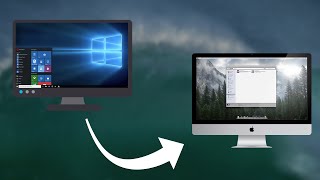
Make Windows Look Like MacOS X - 2020
Channel: Urim Berisha
Category: Science & Technology
Tags: install mac os for freemake windows look betterwindows ricingmodern windows themecustomizing windowsmac os transformation pack for windowsbest windows themesmac dock for windowshow to make windows 10 look like mac osmake windows look like macosbest macos theme for windowsmake windows look like macwindows customizationurim berisharicing windowswindows 10 themebest mac os thememac theme for windowswindows ricewindows transformation pack
Description: Are you a fan of MacOS? Let's change the usual Windows desktop look to something more unique and similar to the Apple operating system. Everything used in this video is free. All theme credits go to niivu. Enjoy! NOTE: This kind of customization can mess your OS up. I DO NOT take responsibility if anything goes wrong for you. DO IT AT YOUR OWN RISK! FOR QUESTIONS, REQUESTS AND SUGGESTIONS: • The Comments Below • Discord - discord.gg/CAjeztn LINKS USED IN THE VIDEO: • bit.ly/MacOSTheme - The Theme Files • bit.ly/UX-Theme-Patcher - UltraUXThemePatcher • bit.ly/OldNewExplorer - OldNewExplorer • bit.ly/7TSPGUI - The Icons Installer • bit.ly/StartisbacK - The Taskbar Tool • bit.ly/NexusDock - The Dock FIRST MUSIC USED IN THE VIDEO: ♫ Track: SkyHigh — Enine [Audio Library Release] ♫ Music provided by Audio Library Plus ♫ Watch: youtu.be/q-lf6x9cVXw ♫ Free Download / Stream: alplus.io/skyhigh SECOND MUSIC USED IN THE VIDEO: ♫ Track: Those Restless Nights — Artificial.Music [Audio Library Release] ♫ Music provided by Audio Library Plus ♫ Watch: youtu.be/qxa2ud2l_Bk ♫ Free Download / Stream: alplus.io/those-restless-nights THIRD MUSIC USED IN THE VIDEO: ♫ Moonbeams by Tokyo Music Walker soundcloud.com/user-356546060 ♫ Creative Commons — Attribution 3.0 Unported — CC BY 3.0 ♫ Free Download / Stream: bit.ly/al-moonbeams ♫ Music promoted by Audio Library youtu.be/ERLSJRrMu_M 0:00 - Preview 0:17 - Creating a restore point 0:42 - Downloading the theme files 1:10 - Installing UltraUXTheme Patcher 1:35 - Downloading OldNewExplorer 2:06 - Installing the theme 2:35 - Applying the wallpaper 2:52 - Applying the icon pack 4:01 - Restarting the PC 4:20 - Applying the theme 4:54 - ONE settings 5:16 - Installing StartIsBack 5:53 - Applying the StartIsBack theme 7:22 - Installing NexusDock 8:02 - Customizing the dock 10:23 - Final changes to taskbar 10:27 - The end