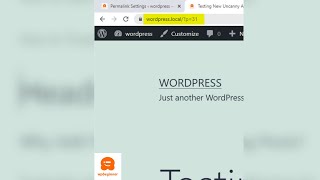
How to Quickly Change Permalink Structure in WordPress
Channel: WPBeginner - WordPress Tutorials
Category: Howto & Style
Tags: permalink settings wordpresshow to change permalink structure in wordpresswordpress permalinkswordpress permalinks structurewordpress custom permalinkspermalink in wordpresspermalink structurepermalinkswordpress permalink settings
Description: By default, your web link structure in WordPress looks something like this. To change it, go to your WordPress dashboard. Go to settings, then permalinks to change. From here, choose the structure that you want to have for your website. We recommend using a URL structure that includes the post name in the URL. This makes your URLs more user-friendly and can improve your WordPress SEO. Click save changes and you now have a new URL structure. --Top Resources-- ⚡Use Promo Code WPBVIP⚡ ►Best WordPress Contact Form Plugin wpforms.com/wpbeginner ►Best WordPress Analytics Plugin monsterinsights.com ►Best Lead Generation Plugin optinmonster.com ►Best WordPress SEO Plugin aioseo.com ►Best Theme Builder for WordPress seedprod.com --Related Videos-- ►WordPress Tutorial - How to Make a WordPress Website for Beginners youtube.com/watch?v=DvbFBxKcORA ►WordPress Gutenberg Tutorial: How to Easily Work With the Block Editor youtube.com/watch?v=JjfrzGeB5_g ►What is SEO and How Does it Work? youtube.com/watch?v=JjfrzGeB5_g ►How to Install a WordPress Theme youtube.com/watch?v=ZIPQRQLAz90 If you liked this video, then please Like and consider subscribing to our channel for more WordPress videos. youtube.com/subscription_center?add_user=wpbeginner Follow us on Twitter: twitter.com/wpbeginner Check out our website for more WordPress Tutorials wpbeginner.com #WPBeginner #WordPress #WordPressTutorial