DJI Mavic 3 QuickTransfer iPhone Fix
Channel: Air Photography
Category: Howto & Style
Tags: dji mavic 3djinot workingiphonequick transferhow to use quick transfermavic 3fixdji quick transferwork arounddji mavic 3 quik transferquicktransfer iphone 13iphone 13
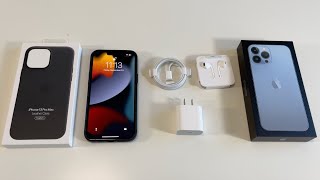
Description: If you have an iPhone most notably the iPhone 13 Pro Max and can not get the QuickTransfer feature of the DJI Mavic 3 to work. The good news is there is a fix and it will allow you to make use of this new feature that was introduced alongside the latest firmware update. It appears to be a bug with some models of iPhones to do with cellular service. This workaround or fix also works for those who can not transfer content from their DJI Action 2 to an iPhone. Become an "Air Crew" member for behind the scenes and bonus perks: youtube.com/channel/UCoKMBuQ8YejlCbNm77ZL8jg/join My Filming Gear iPhone 13 Pro Max: amzn.to/3maqNJU GoPro Hero 10: amzn.to/3zkIevY GoPro Max: amzn.to/353rI58 Insta360 Go 2: bit.ly/2OjpGe5 DJI Action2: amzn.to/308vD3m DJI Mavic 3: amzn.to/3c8wpQl DJI Air 2S: amzn.to/2QxBTMY DJI Mini 2: amzn.to/2XZLSPz DJI FPV Combo: amzn.to/3ocD4jS Rode Wireless Go II: amzn.to/3lqexnR Rode VideoMic Go II: amzn.to/34KCWQI All my YouTube videos are filmed on an iPhone and edited on an iPad Pro in LumaFusion. I am a minimalist/mobile YouTube creator. I like to keep things simple. My Editing Gear iPad Pro 12.9" With M1: amzn.to/2TehjTM iPad Mini 6: amzn.to/3i3xRqv Apple Pencil 2: amzn.to/2Biz88x Apple Card Reader (USB-C): amzn.to/2DvspJG Sandisk Extreme Pro 2TB SSD: amzn.to/30pLPNO USB-C PD Power Bank (USA)amzn.to/3CdcJpc Links may contain Amazon Associate or other affiliate IDs. As a result, we may receive a small portion of the sale. #Mavic3 #QuickTransfer #iPhone